ProjectLaravelFeatured

Laravel Inertia Datatable

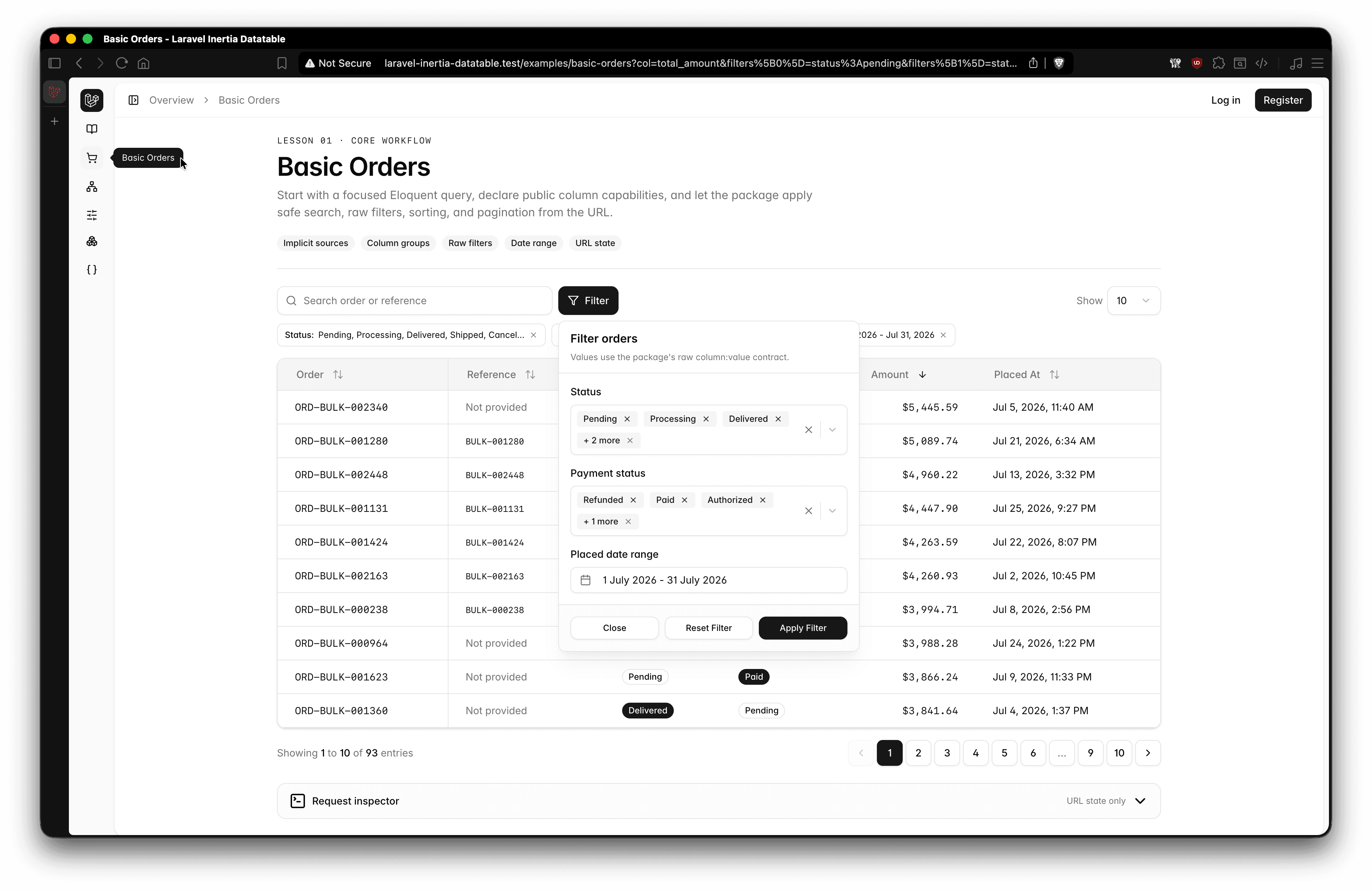
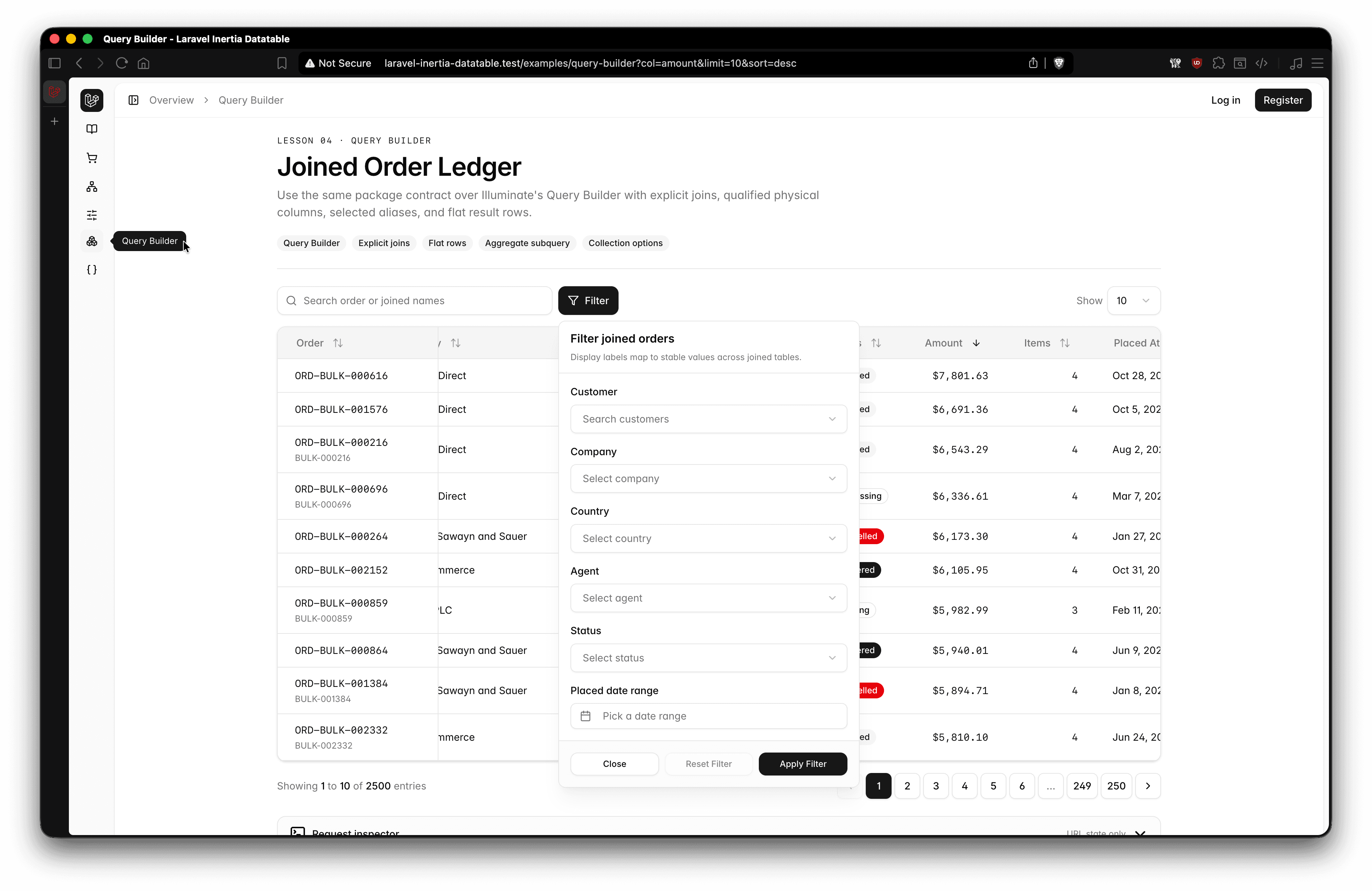
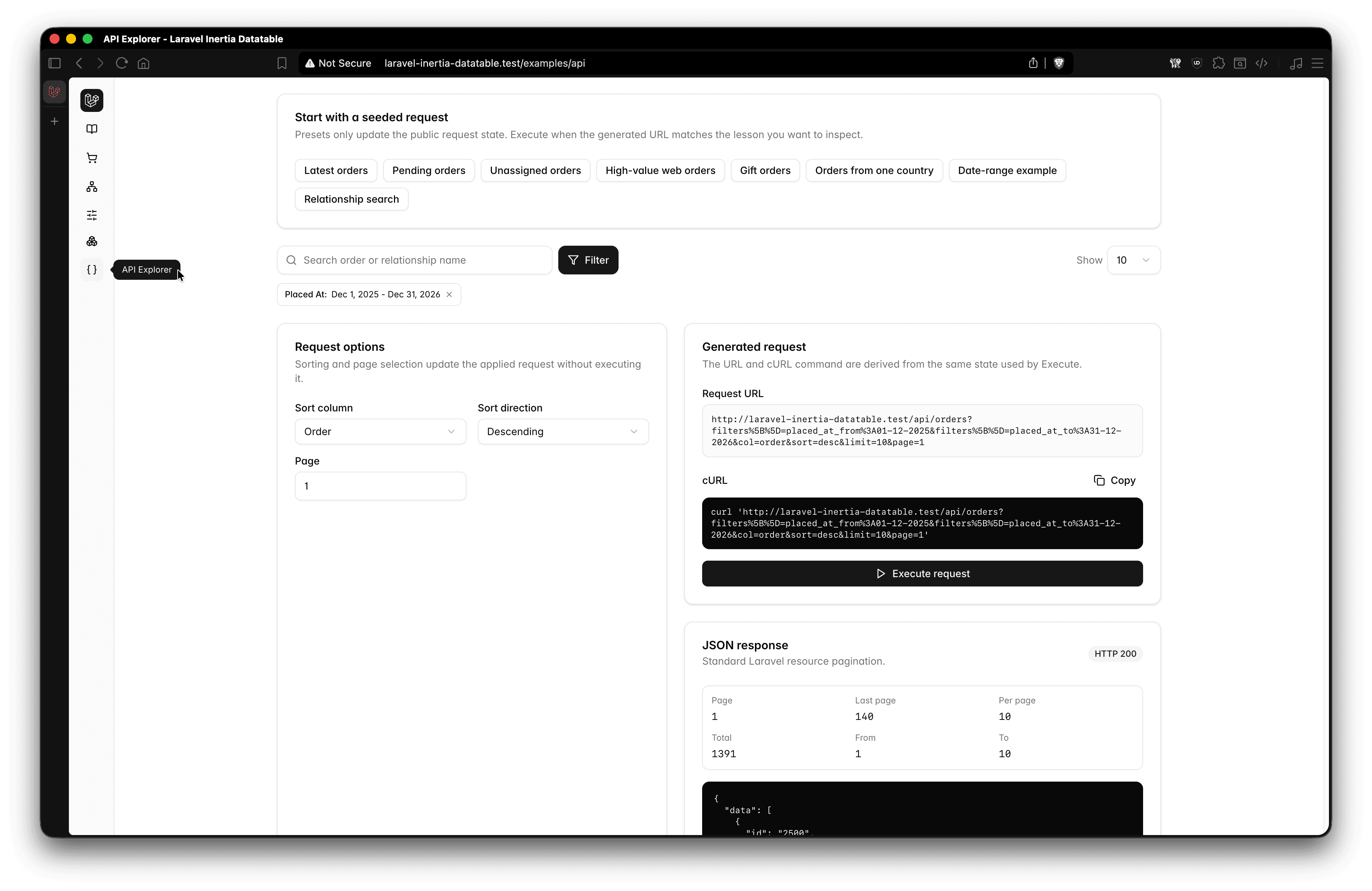
Learn how to implement server-side pagination, filtering, live search, sorting, and limit the number of records displayed per page in your Laravel application. Enhance performance by fetching only the required data while allowing users to filter results, search in real-time, sort data, and control the number of entries displayed per page.

Stack

Laravel
ReactJS
InertiaJS
Datatable
Year
2026

Laravel Inertia DataTable

A Laravel and Inertia React example application demonstrating the raprmdn/laravel-inertia-datatables Composer package with reusable frontend datatable components.

This repository is a working reference implementation for server-side pagination, search, sorting, filters, date ranges, relationship handling, and per-page limits. The package is already installed and used by the application's controllers.

This repository contains the example application and its frontend components. The Composer package repository contains the reusable Laravel query builder and its complete package documentation.

Features

  • Server-side pagination with selectable limits of 10, 25, 50, or 100 records
  • Debounced live search with Inertia query-state preservation
  • Allow-listed column sorting
  • Multi-value, nullable, relationship, and date-range filters
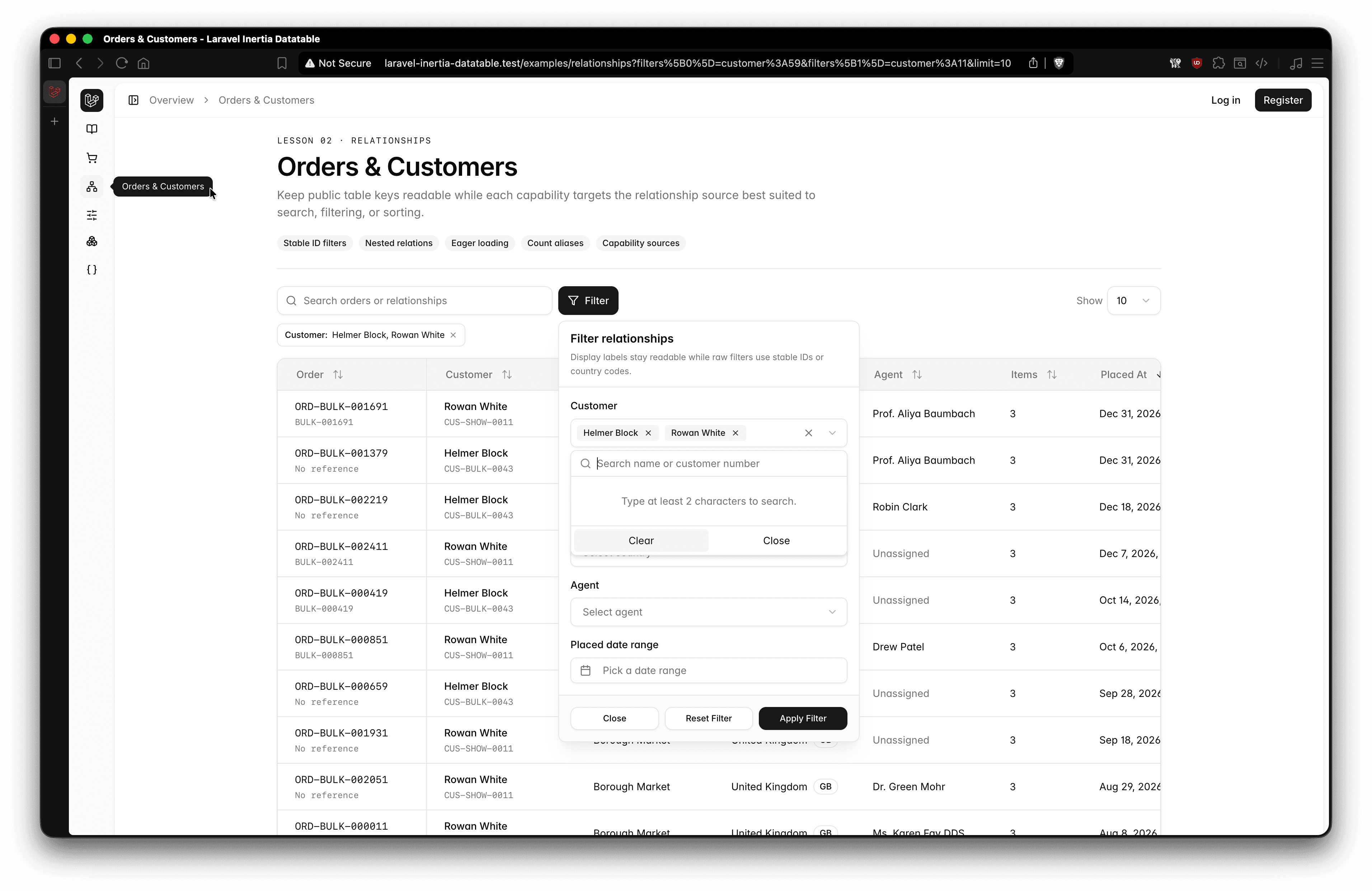
  • Relationship search, filtering, eager loading, and supported sorting
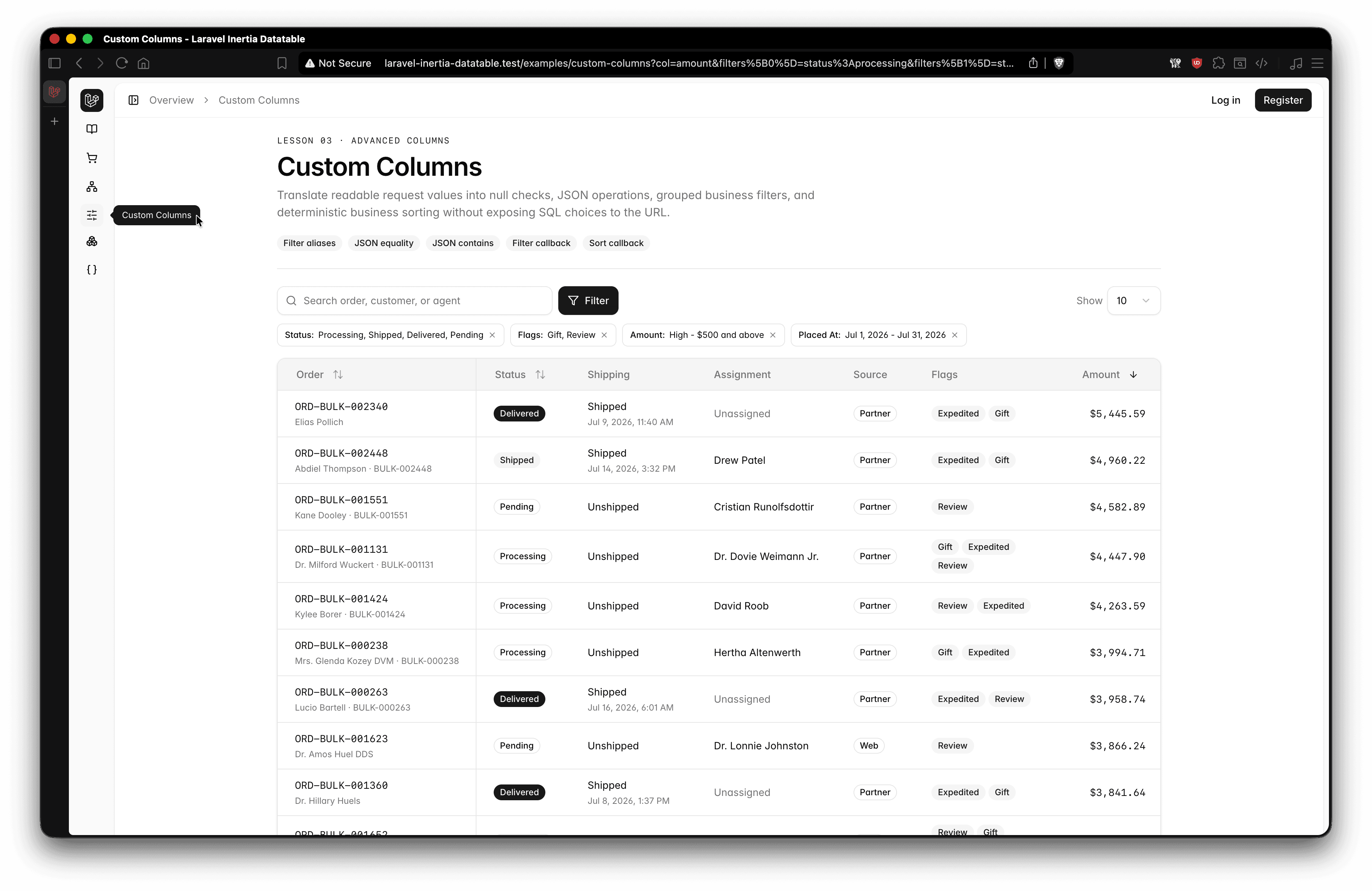
  • Filter expression aliases, including verified and unverified user states
  • Applied-filter badges with individual group removal and reset controls
  • Responsive search, filter popover, and pagination controls
  • API-backed author option search on the Posts table
  • Sticky first columns on desktop
  • Truncated post fields with accessible tooltips
  • Light and dark appearance support
  • Enum-backed filter options

Included Examples

Users

  • Searches names, email addresses, and related role names
  • Filters by verification state, roles, and created date range
  • Demonstrates nullable filter aliases for verified and unverified users
  • Sorts by name, email, verification date, and creation date

Roles

  • Searches role names
  • Filters by guard
  • Sorts by name, guard, related user count, and creation date

Categories

  • Searches category names and slugs
  • Sorts by name, slug, related post count, and creation date
  • Demonstrates a compact table without additional filters

Posts

  • Searches titles, slugs, excerpts, and related author names
  • Filters by API-searched authors, category slugs, status, and created date range
  • Sorts by title, slug, excerpt, author, status, and creation date
  • Displays category badges and truncated slug and excerpt tooltips

The frontend uses shadcn-style components with Base UI and Radix UI primitives.

Installation

Clone the example application and install its dependencies:

Terminal
git clone https://github.com/raprmdn/laravel-inertia-datatable.git
cd laravel-inertia-datatable
 
composer install
npm install
 
cp .env.example .env
php artisan key:generate

Create a MySQL database and configure the connection in .env:

.env
DB_CONNECTION=mysql
DB_HOST=127.0.0.1
DB_PORT=3306
DB_DATABASE=laravel_inertia_datatable
DB_USERNAME=root
DB_PASSWORD=

Seed Data Warning

The database seeder creates a large dataset intended to demonstrate server-side datatable performance:

  • 5,000 users, split evenly between verified and unverified accounts
  • 200,000 posts
  • 8 categories
  • Administrator, author, and moderator roles
  • Draft, published, and archived post statuses

Seeding can take substantial time and database storage. Run the migrations and seeders when the MySQL connection is ready:

Terminal
php artisan migrate --seed

Configuration

The package configuration is published at config/inertia-datatables.php:

config/inertia-datatables.php
return [
    'query_params' => [
        'search' => 'search',
        'filters' => 'filters',
        'column' => 'col',
        'direction' => 'sort',
        'limit' => 'limit',
    ],
 
    'date_format' => 'd-m-Y',
 
    'pagination' => [
        'default_per_page' => 10,
        'max_per_page' => 100,
        'on_each_side' => 1,
    ],
 
    'json_columns' => [],
];

json_columns may contain JSON columns or paths that should use whereJsonContains filtering. See the package repository for advanced configuration and filtering behavior.

Backend Usage

Controllers define the accepted filters and sorts before passing an Eloquent query to the package. The Posts example uses the following pattern:

PostController.php
use App\Models\Post;
use Illuminate\Http\Request;
use Raprmdn\DataTables\Facades\DataTable;
 
[$columnFilters, $allowedFilters, $dateRanges] = DataTable::parseFilters(
    $request->query('filters', []),
    [
        'author' => 'user.name',
        'category' => 'categories.slug',
        'status' => 'status',
        'created_at' => 'created_at',
    ],
);
 
[$sort, $allowedSorts] = DataTable::parseSort(
    $request->string('col')->toString(),
    [
        'title' => 'title',
        'slug' => 'slug',
        'excerpt' => 'excerpt',
        'author' => 'user.name',
        'status' => 'status',
        'created_at' => 'created_at',
    ],
);
 
$posts = DataTable::query(Post::query())
    ->with(['user:id,name', 'categories:id,name'])
    ->searchable(['title', 'slug', 'excerpt', 'user.name'])
    ->applyFilters($columnFilters)
    ->allowedFilters($allowedFilters)
    ->applyDateRanges($dateRanges)
    ->applySort($sort)
    ->allowedSorts($allowedSorts)
    ->perPage($request->integer('limit', 10))
    ->make();

UserController also demonstrates aliases that translate verified and unverified selections into NOT NULL and NULL filters.

Frontend Usage

Page tables compose the shared toolbar, hooks, table primitives, and pagination. The Users example follows this pattern:

resources/js/pages/*/partials/data-table.jsx
const { params, setParams, setTimeDebounce } = useDebouncedSearch(
    route(route().current()),
    filters,
);
const { sort } = useSorting(filters, setParams);
 
<TableToolbar
    placeholder={__('Search :key', { key: __('Users') })}
    search={params.search}
    params={params}
    setParams={setParams}
    setTimeDebounce={setTimeDebounce}
    defaultFilterValues={userFilterDefaults}
    filters={UserFilters}
/>
 
<TablePagination meta={meta} />
  • useDebouncedSearch updates the URL through Inertia while preserving scroll and state.
  • useSorting toggles allow-listed columns between ascending and descending order.
  • TableToolbar provides search, filters, active badges, and limit selection.
  • TablePagination renders responsive links from Laravel pagination metadata.

Project Structure

file
app/Http/Controllers/                 Package query configuration and Inertia pages
app/Http/Resources/                   Inertia and API response shaping
config/inertia-datatables.php         Package query and pagination settings
resources/js/components/data-table/   Reusable toolbar, sorting, and pagination UI
resources/js/components/ui/           Shared table and form primitives
resources/js/hooks/                   Search, sorting, and API option hooks
resources/js/pages/*/partials/        Page-specific columns and filters
database/seeders/                     Reference dataset generation

Screenshots

Posts DataTable
Posts DataTable
Categories DataTable
Users DataTable
Users DataTable
Roles DataTable
Roles DataTable

Package Documentation

For package installation in another Laravel application, the complete builder API, advanced filtering, and upgrade guidance, see:

https://github.com/raprmdn/laravel-inertia-datatables

License

This example application is open-sourced software licensed under the MIT license.